 Rekarta
Sizes
Instagram story size
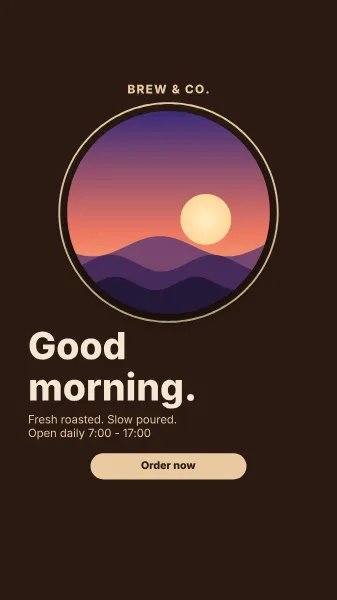
Rekarta designs an Instagram story at 1080 × 1920 pixels, a 9:16 full-screen vertical. It keeps all text out of the top 13% and the bottom 18% of the screen, because the app draws its own controls there. One message and one action suit a story that is seen for a couple of seconds.
- Pixels1080 × 1920
- Ratio9:16
- Same sizeTikTok video, WhatsApp status
Last updated
Size at a glance
| Format | Pixels | Ratio | Megapixels |
|---|---|---|---|
| Instagram story | 1080 × 1920 px | 9:16 | 2.07 MP |
Good for
- Limited-time offers and new arrivals
- Event reminders and countdowns
- A teaser with a link sticker
Design tips for this size
- One message, one action. Stories are tapped through fast.
- Put the important words in the middle band, between the two keep-clear zones.
- Make the story first, then ask for a square version for the feed.
What to keep clear
- Keep all text out of the top 13% and the bottom 18% of the screen: the app draws over them.
- Text stays inside the safe area, does not overflow or overlap, and has enough contrast.
Ask for it like this
Paste this into Rekarta's chat, or into your own AI assistant once it is connected. Change the words to yours.
Make an Instagram story, 1080 × 1920: new batik tote bags are in. Action: "Tap to shop". Use my product photo, bold colour block.Templates for this size
Sizes close to this one
| Format | Pixels | Ratio |
|---|---|---|
| TikTok video | 1080 × 1920 px | 9:16 |
| WhatsApp status | 1080 × 1920 px | 9:16 |
| Pinterest pin | 1000 × 1500 px | 2:3 |
| A4 poster | 1240 × 1754 px | 1:1.41 (A4 paper) |
| Instagram portrait post (4:5) | 1080 × 1350 px | 4:5 |
Common questions
Why is there a keep-clear zone?
Story apps draw the profile bar over the top and the reply box over the bottom. Rekarta checks that text stays out of those areas.
What size is a instagram story made with Rekarta?
1080 × 1920 px, a 9:16 ratio of 2.07 megapixels. This is the size Rekarta designs at. Platforms change their recommendations, so check the current requirements of the place you post to.
Do I need to set the size myself?
No. Name the size or say where the design will be posted, and Rekarta sets the canvas. Ask in the same chat for other sizes and it adapts the layout.
Make a instagram story.
The first month is free. Ask in Rekarta's chat, or connect the AI assistant you already use.